
 Racing Variety
Lot No. 84
Build League
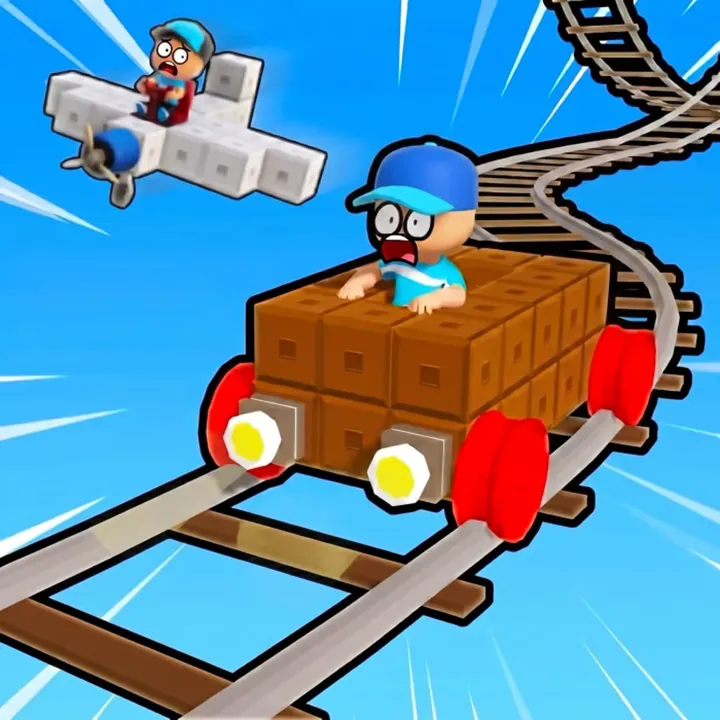
Build League sits in Poki's driving games and is made by OnRush Studio. You can play alone or online with other people, including a friend, and its controls cover driving, the camera, a shop, quests and emotes.
- Genre
- Racing
- Packed by (studio)
- OnRush Studio
- Devices
- Computer, phone, tablet
- Controls used
- W A S D or arrow keys, mouse, F, T, Q, G
- Session
- Single-player or online multiplayer
- Account
- Not required to open on Poki
- Suitability
- All ages
- Updated on Poki
- June 2026
How it plays, in plain words
Poki's description of Build League is brief: it can be played as a single player or in online multiplayer, and you can play with a friend. Everything else on the Poki page is about controls, so this page describes those rather than guessing at tracks, cars or rules. The name hints at building, but Poki does not describe any building, so that is something to find out in the game itself.
Movement uses W A S D or the arrow keys, and the mouse moves the camera. F starts, T opens the shop, Q opens quests and G opens emotes. Because the shop and the quests have keys of their own, it is worth opening each once early on to see what they hold. It has one of the longest key lists on this site, so it helps to keep the list above open in another tab for the first session.
Build League comes from the same studio as Sprint League, and the two share their movement keys. Poki lists it for computer, phone and tablet; the key list here is for a keyboard and mouse. It arrived on Poki in October 2025 and was last updated in June 2026. If you already know Sprint League, the movement will feel the same from the start, and only the extra keys for the shop, quests and emotes are new.
Controls, stencilled
First-go tips
Press F to start. Poki lists it as the start key, and knowing it saves hunting for a button.
Open the shop (T) and the quest list (Q) once before your first proper session, just to see what is there.
Swing the camera with the mouse whenever you lose sight of where you are heading.
G opens emotes, which matter mostly when playing online with other people.
Playing with a friend? Agree first whether you are both joining online, since Poki lists single-player and online multiplayer.
A good pick for
Players who like driving games with a little more to manage, and friends who want to play online together. It is a reasonable next step for anyone who has tried Sprint League and wants more to do with the same movement keys.
The honest minuses
— There are more keys to remember than in most games on this site: movement, camera, F, T, Q and G. The first session goes more smoothly with the key list at hand.
— Online play puts you alongside other people, whose behaviour this site cannot vouch for.
— Poki's description is short, so what the shop and quests contain only becomes clear once you play.
From the same sheet
- Sprint League →
Same studio and the same movement keys
- Blockpost →
Also played online with other people
It opens on poki.com, not here
The game runs on poki.com, a separate site that Elvarmarskkairo does not own or control. The link opens it in a new tab, where Poki's own terms, adverts and cookies apply.
Open Build League on Poki → (opens poki.com in a new tab)Quick questions on this one
Can I play Build League with a friend?
Yes. Poki says it can be played in online multiplayer and with a friend.
What do T, Q and G do?
T opens the shop, Q opens quests and G opens emotes. F starts.
Does it work on a phone?
Poki lists computer, phone and tablet. The key list above is for a keyboard and mouse. On a touch screen the controls may look different from the keys listed here.